Communications
Most of the day is messages. Tourbox puts them next to the booking, the enquiry and the customer they are about, sends them from your own address, and does the sorting before you open them.
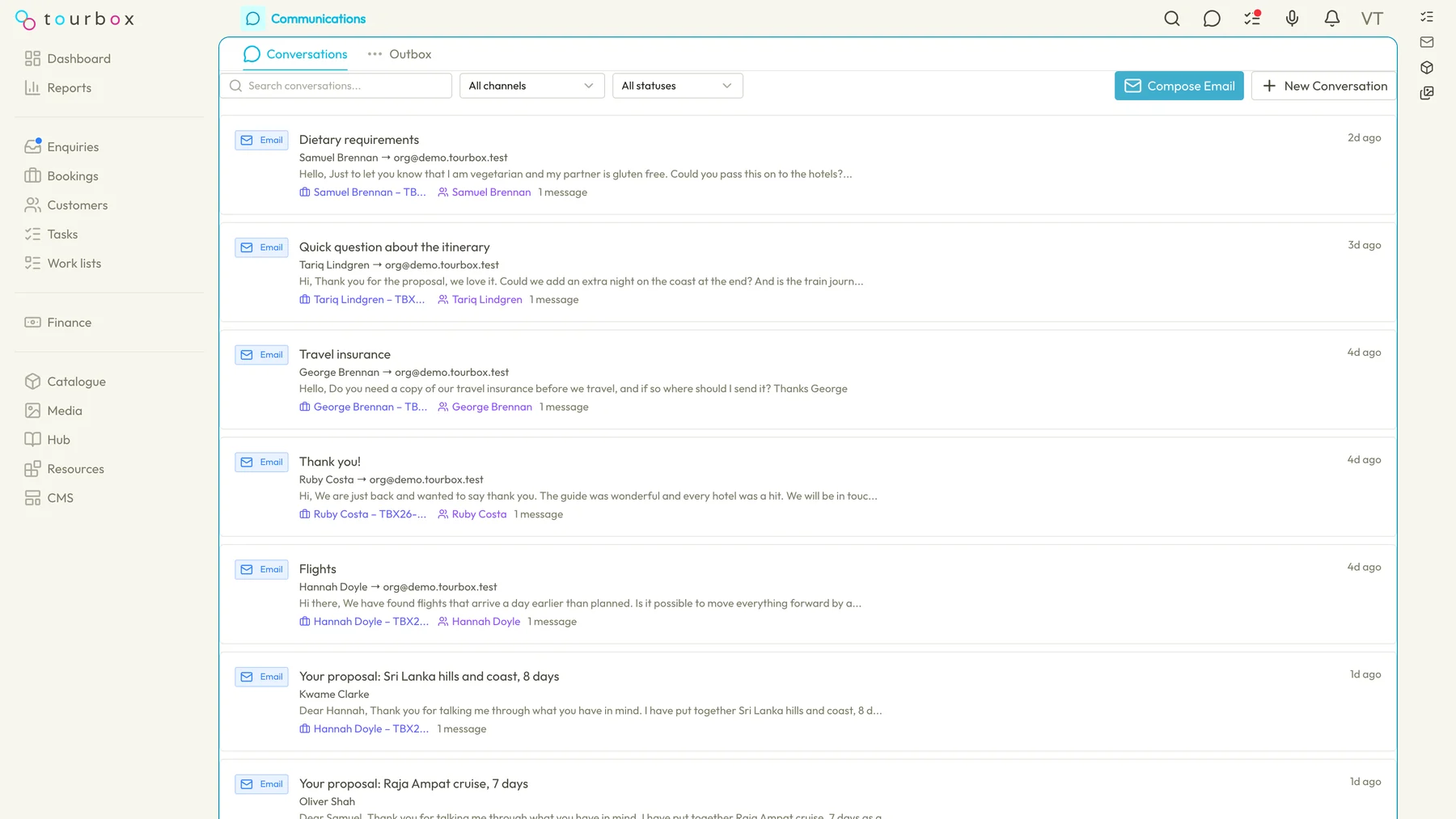
Email from your own address
Connect the mailbox you already use and quotes, confirmations and replies go out as you, from your address, and are logged against the booking. Microsoft 365 today, Google once its app verification completes.
Incoming email, sorted
Mail arriving in Tourbox is read and filed, a new lead becomes an enquiry with the dates, party and budget filled in, and a supplier confirmation is read and its details offered to the booking.
A reply, drafted
For each message a reply is drafted from the booking and the thread, for you to edit and send. Nothing goes out on its own.
Text messages from your own number
Text travellers from a number that belongs to your business. Replies come back into Tourbox, next to the booking, rather than onto someone's phone.
Templates and snippets
Email templates and snippets with the customer's name, the booking reference and the dates filled in, so a quote or a chase reads the same whoever sends it.
One inbox, with the context
Every message sits on the booking, enquiry or customer it belongs to, with the outbox beside it, so a colleague covering a desk sees the whole thread.
Questions about communications
Can I send from my own email address?
Yes. Connect a Microsoft 365 mailbox and mail goes out from your address and lands in your sent folder as well as on the booking. Google mailboxes follow once Google has finished verifying the Tourbox app for sending.
What does Tourbox do with an email that arrives?
It reads it, decides what it is, and files it. A new lead becomes an enquiry in your pipeline. A reply from a customer lands on their booking. A supplier confirmation or invoice is read and its details offered to the booking for you to check. A reply is drafted for you where one makes sense.
Will anything be sent without me seeing it?
No. Drafted replies wait for you to edit and send. Automation rules can raise a task to send something, but a person sends it.
How do text messages work?
Your organisation gets its own number. You text a traveller from the booking, they reply to that number, and the reply shows in Tourbox next to the booking. Messages are counted and the allowance is visible in Settings.
See it from your own desk
Tell us how you run trips today and we will show you this part of Tourbox with your own kind of trip on it.