Suppliers, invoices and money
The money lives on the booking. Every supplier cost, every invoice and every payment sits on the trip it belongs to, so the margin you see is the margin you have.
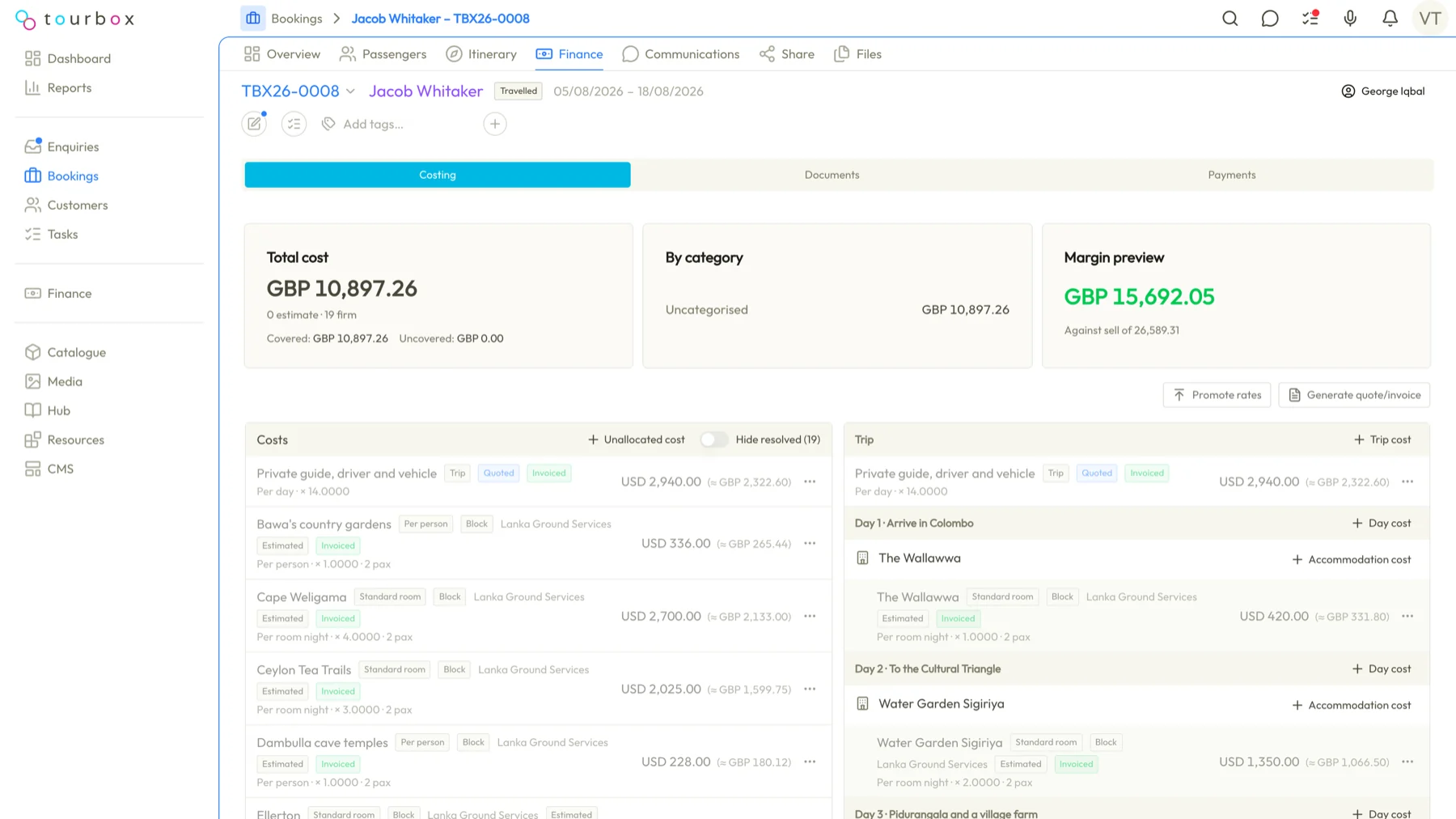
Supplier invoices against the trip
Record what each hotel, guide and transfer costs, log their invoices and mark them paid. Outstanding supplier money is one number on the booking.
Customer invoices and payments
Raise deposit and balance invoices in your branding, take payments by link or bank transfer, and watch the outstanding figure fall.
Two currencies, worked out
A booking has the customer's currency and your accounting currency. Rates, committed rates and realised gain or loss are part of the screen, not a spreadsheet.
Xero when you want it
Push supplier invoices and customer payments to Xero as they happen, so the books match the bookings.
Questions about suppliers, invoices and money
How do supplier costs reach the customer invoice?
Supplier costs come onto the booking with the itinerary, each block carrying its cost and its customer price, and Tourbox totals them into the trip price and the margin. You raise the deposit and balance invoices from the same booking, in your branding, and each invoice line can link to the itinerary block it charges for.
Can a booking be priced in the customer's currency and reported in mine?
Yes. Every booking in Tourbox has the customer's currency and your accounting currency. Exchange rates, committed rates and the realised gain or loss sit on the booking's finance screen, and a currency contract can lock a rate for a supplier payment due months away.
How do customers pay?
By payment link, by card in the customer portal or by bank transfer. Each payment is recorded on the booking and allocated to its invoices, which update their paid status, and the first payment moves the booking to Confirmed in Tourbox.
Does it sync with Xero?
Yes, when you want it to. Tourbox pushes supplier invoices and customer payments to Xero as they happen, so your books match your bookings.
Can I see what I still owe suppliers?
Yes. Log each supplier's invoices against the trip and mark them paid, and the money still owed shows as one number on the booking. Tourbox also keeps every document and payment on the supplier's own record, with the outstanding balance in each currency.
See it from your own desk
Tell us how you run trips today and we will show you this part of Tourbox with your own kind of trip on it.