Itinerary builder
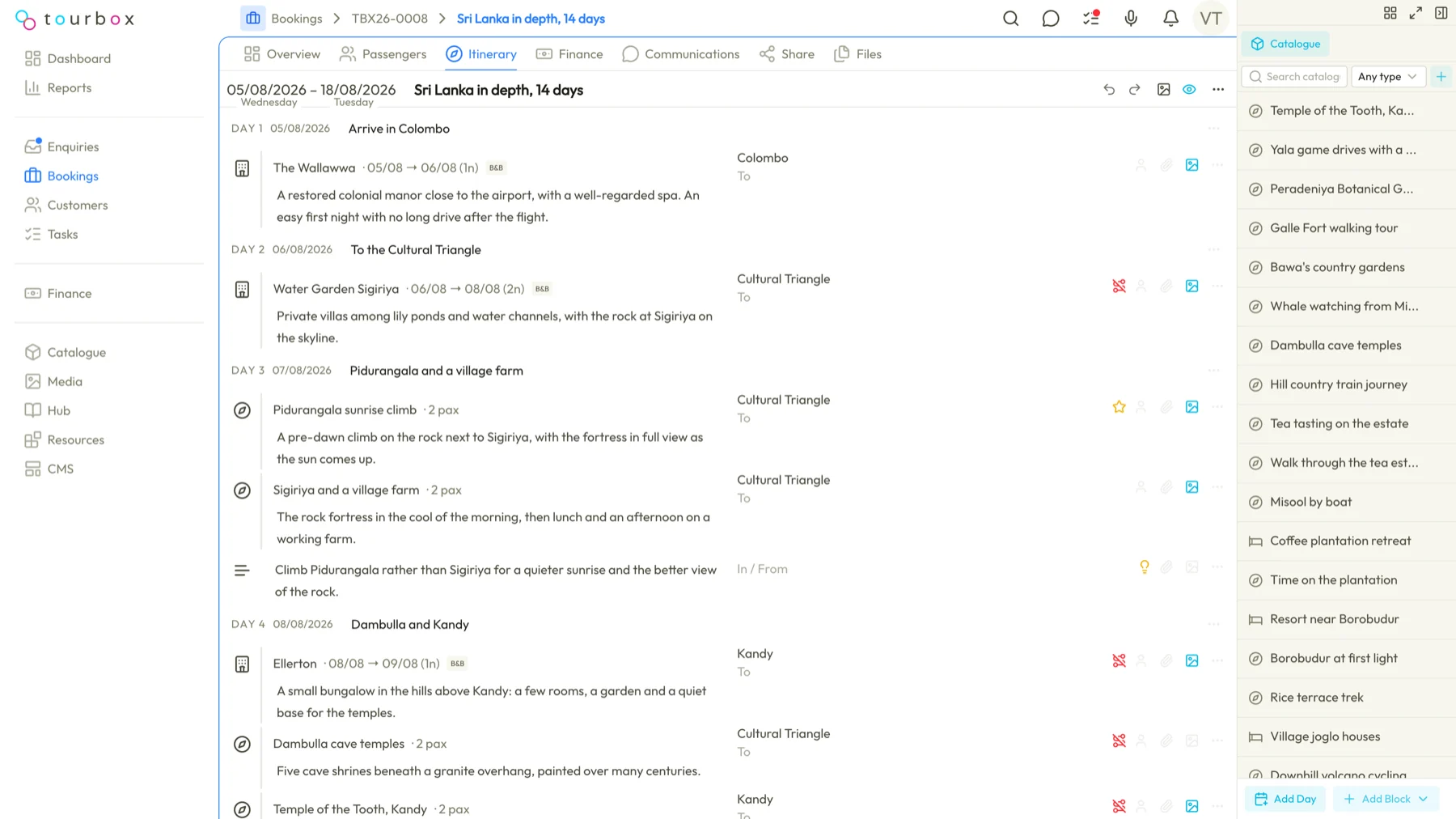
The itinerary is the heart of the trip, so the builder is the heart of Tourbox. Days down the page, your catalogue docked beside it, and the pricing following every block you drop in.
Days, not documents
Each day holds its blocks in order: a transfer, a hotel for three nights, a guided walk, a free afternoon. The timeline keeps the dates right as the trip changes.
Your catalogue, one drag away
Hotels, activities and transfers you have used before sit in a panel beside the builder. Drop one in and its description, photos and cost come with it.
Templates for the trips you sell often
Save an itinerary as a template and start the next enquiry from it, rather than from a blank page.
Photos and documents on the block
Attach images and files to any block, from the media library or straight from your desktop. They flow through to the portal and the PDF.
Questions about the itinerary builder
Can I build an itinerary from a template?
Yes. Save any itinerary as a template and start the next enquiry from it rather than from a blank page. Tourbox also keeps day templates, such as a standard arrival day, which expand into their blocks when you drop them in and can then be edited without changing the template.
Where do the hotels and activities in the builder come from?
From your own catalogue, which sits in a panel beside the builder. Drag a hotel, activity or transfer into a day and its description, photos and cost come with it. Each booking in Tourbox keeps its own copy of the block, so a later change to the catalogue only reaches new trips.
How is the price of the trip worked out?
Each catalogue block carries a supplier cost and a customer price, and Tourbox adds them up into the trip's total price, total cost and margin as you build. You can override the price or the cost on any block for a bespoke arrangement.
Can I offer the customer two versions of the same trip?
Yes. A booking can hold more than one itinerary, for example a standard and a premium option, with one of them marked active. Only the active itinerary counts towards the booking's pricing in Tourbox and appears in the customer portal.
Do the photos on a block reach the customer?
Yes. Attach images and files to any block from the media library or from your desktop, and Tourbox carries them through to the customer portal and the PDF. Each block can also have its own description for the customer, kept apart from the internal name your team and suppliers see.
See it from your own desk
Tell us how you run trips today and we will show you this part of Tourbox with your own kind of trip on it.