Reports and your own AI
The numbers in Tourbox come from the bookings your team worked on, so a report is never a separate spreadsheet that drifts. Read them in the app, have them sent to you, ask a question in plain words, or point your own AI at them.
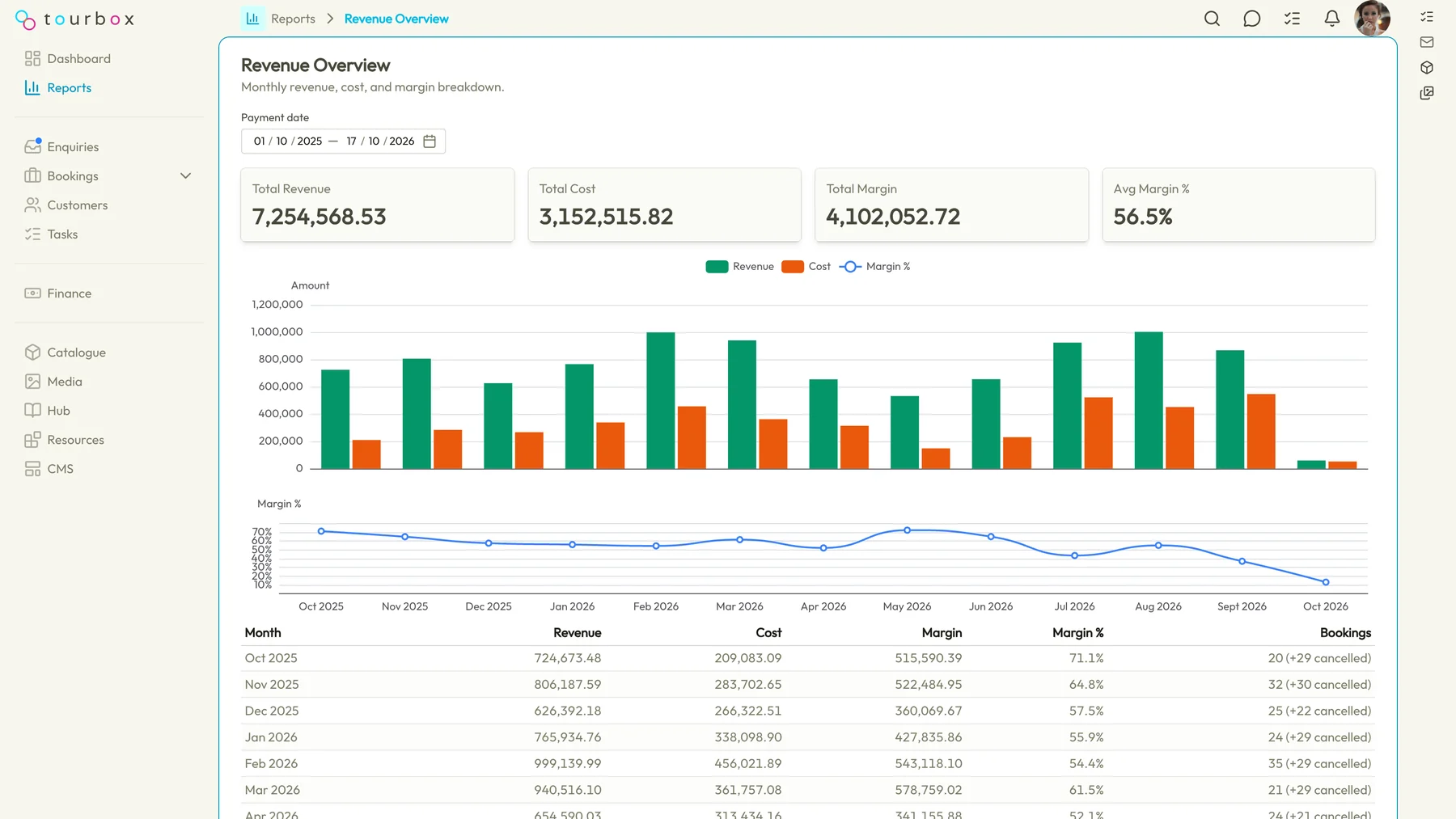
More than twenty reports
Sales funnel, enquiry sources and pace, booking trends, revenue overview, margin by supplier, profit and loss per booking, cash flow, sales ledger, who owes you and who you owe, costs not yet invoiced, currency exposure and gain or loss, how much of each supplier you use, popular products, a map of where your customers live, an operational calendar and targets.
Saved and scheduled
Save a report with its filters, give it a schedule, and it arrives without anyone remembering to run it on the first of the month.
Ask a question
Ask in plain words, such as which destinations made the most margin last quarter, and get the figures and the chart back with the data they came from.
The dashboard
Revenue, margin, conversion, the enquiry pipeline, tasks and what is departing next, on one screen that reads the same bookings as everything else.
Connect your own AI
Connect Claude, ChatGPT or another AI assistant to your organisation with one sign-in, over MCP, the open standard for this. You choose which parts of Tourbox it may use and whether it may change anything, and you can switch it off at any time.
Figures only, no personal data
Your AI works on reporting figures that carry no customer, traveller or staff names, no contact details and no notes. Analysis never means personal data leaving Tourbox.
Templates written with your AI
The same connection can read, draft, validate and preview your document templates, so a new quote or voucher layout is a conversation rather than an afternoon.
Questions about reports and your own AI
Which reports are there?
Sales funnel, enquiry sources, enquiry pace, booking trends, revenue overview, margin by supplier, profit and loss per booking, cash flow, sales ledger, customer and supplier aging, costs not yet invoiced, over-billed and uncovered costs, currency exposure, currency gain or loss, currency contract use, supplier use, popular products, flights to ticket, a customer map, an operational calendar, which adverts brought in bookings, communications and targets. Each reads the same bookings, enquiries and payments your team works on.
Can I have a report sent to me every month?
Yes. Save a report with its filters and give it a schedule, and Tourbox runs it and sends it to you. Saved reports can be shared with the team.
What does my AI see when I connect it?
Only what you granted. The reporting figures are built for this purpose, with no customer, traveller or staff names, no contact details, no addresses below country and no notes; people and suppliers appear as reference codes you can paste into Tourbox search. The template tools see your document templates. Nothing else is reachable through the connection.
Which AI assistants work with it?
Any that supports MCP, the open standard for connecting an AI assistant to other software, which today includes Claude and ChatGPT. The assistant signs in through the normal Tourbox login, shows you a screen listing what it is asking to use, and the connection can be switched off from Settings.
Who can connect an AI assistant, and is my data used for training?
Anyone on your team can connect for the parts they are entitled to; the reporting figures need the export-data permission, which owners, admins and billing managers hold. Tourbox trains nothing on your data. The AI assistant you connect is your own choice and runs under your own agreement with that provider, so check its terms as you would for any tool you give your data to.
See it from your own desk
Tell us how you run trips today and we will show you this part of Tourbox with your own kind of trip on it.